

1. What Is an Amazon Product Listing?
An Amazon listing is essentially the page that customers see when they search for a product on Amazon. It contains critical information such as the product title, images, bullet points, detailed descriptions, price, and customer reviews. A high-quality listing ensures that Amazon understands your product correctly and shows it to the right audience. It also plays a major role in influencing buyers’ decisions, making your listing not just a page, but a tool for marketing and sales.
2. Step 1 – Set Up Your Amazon Seller Account
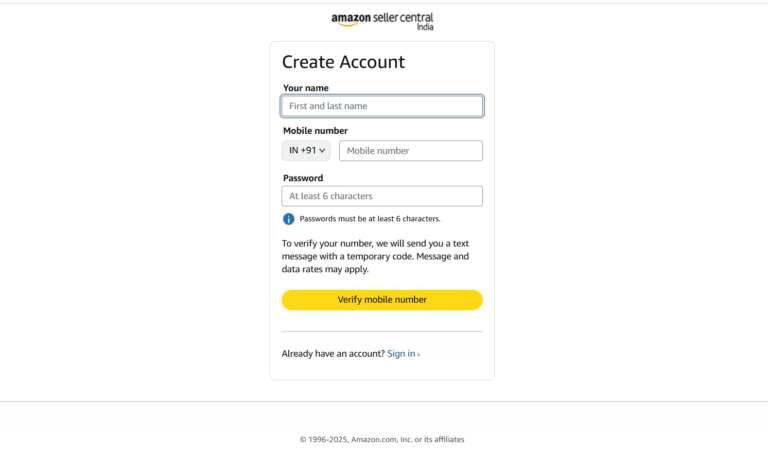
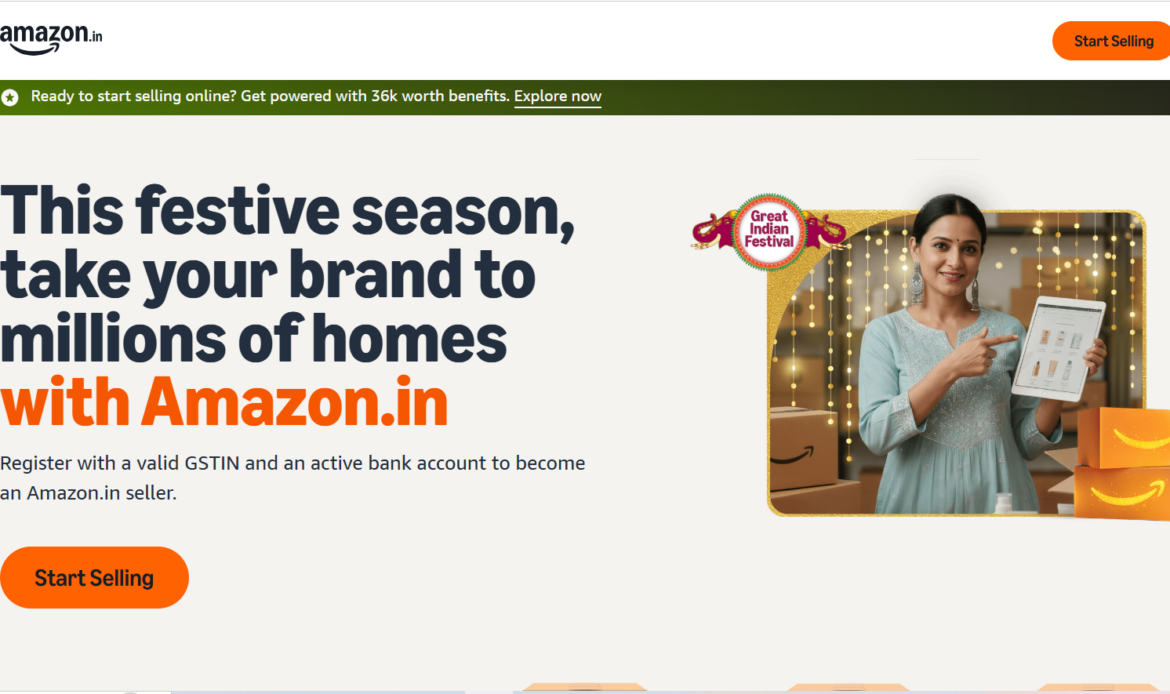
Before creating a listing, you need an Amazon Seller Central account. Visit Amazon Seller Central and choose a selling plan:
Individual Plan: No monthly fee, pay ₹10 per sale. Suitable for casual sellers or small-scale businesses.
Professional Plan: ₹499 per month. Ideal for businesses planning to sell multiple products and access advanced tools.
Make sure you have PAN, GST, and bank account details ready, as Amazon requires these for verification. A verified account ensures smoother listing and selling processes.
3. Step 2 – Gather Product Information
Having all product information ready makes listing faster and more accurate. Essential details include:
Product Name / Title: Must be clear and include main keywords.
Brand Name
Product ID: GTIN, UPC, EAN, ISBN, or GTIN exemption
Product Description & Bullet Points: Highlight benefits and features
High-quality Images: Multiple angles, lifestyle images, and infographics
MRP and Selling Price
SKU (Stock Keeping Unit): Internal identifier
Preparing this beforehand avoids errors and listing delays.
4. Step 3 – Log in to Seller Central
After setting up your account, log in to Amazon Seller Central. Go to Catalog → Add Products.
If your product already exists on Amazon, click “I’m selling this product”.
If it’s a new product, click “Create a new listing”.
Selecting the correct option ensures that your product is correctly categorized and avoids duplication.
5. Step 4 – Add a New Product Listing
Choose the category and subcategory that best fits your product. This step is important because it affects where your product appears in search results.
Next, fill in the three main sections:
- Vital Info: Product name, brand, and unique product ID.
- Offer: Price, available quantity, and shipping options.
- Images and Description: Upload high-quality images and detailed descriptions.
Proper categorization improves search visibility and relevance for buyers.
6. Step 5 – Enter Product Details
Amazon 2026 emphasizes clear and keyword-rich product details:
Product Title: Should be descriptive and up to 200 characters. Include main keywords naturally.
Bullet Points: Highlight top features, benefits, and usage in short, easy-to-read lines.
Product Description: Write detailed paragraphs explaining product specifications, uses, and advantages. Use simple language and formatting for readability.
Example:
Organic Green Tea Bags | 100% Natural | 100 Bags | Refreshing & Detoxifying
Bullet Points:
- Boosts metabolism naturally
- Made from 100% organic leaves
- Ideal for daily detox and energy
7. Step 6 – Upload Product Images
Images play a critical role in buyer decisions. Amazon’s 2026 guidelines:
Pure white background (RGB 255,255,255)
Minimum 1001px on the longest side
Product should occupy 85% or more of the image
No text, logos, or watermarks on the main image
Upload 7–9 images, including lifestyle shots, close-ups, and infographics
High-quality images increase trust and improve conversion rates.
8. Step 7 – Add Pricing, Inventory & Shipping Info
Provide accurate details about price and stock:
- MRP and Selling Price: Ensure competitiveness
- Quantity in Stock: Helps Amazon manage availability
- Fulfillment Method:
- FBA (Fulfilled by Amazon): Amazon stores, packs, and ships your products
- FBM (Fulfilled by Merchant): You handle storage and shipping
Proper pricing and inventory details prevent stock-outs and cancellations.
9. Step 8 – Optimize for SEO
Amazon’s A10 algorithm favors listings that are relevant and highly converting. Include keywords in:
- Product Title
- Bullet Points
- Description
- Backend Search Terms (hidden keywords)
Use tools like Helium 10, Jungle Scout, or Amazon Keyword Tool to find trending search terms. SEO optimization improves visibility and attracts the right customers.
10. Step 9 – Publish Your Listing
Once all details are filled:
- Click Save and Finish
- Amazon reviews your listing (24–48 hours)
- After approval, your product goes live
Monitor the first few days closely to ensure everything appears correctly.
11. Step 10 – Monitor & Improve Performance
Track your product’s performance regularly:
- Product ranking in search results
- Customer reviews and ratings
- Conversion rate
- Buy Box eligibility
Update titles, descriptions, images, and keywords regularly to maintain performance and improve sales.
12. Final Tips for Success
- Use A+ Content (Enhanced Brand Content) if you are a registered brand
- Keep titles clear, concise, and keyword-rich
- Respond quickly to customer questions and reviews
- Analyze data from Amazon Brand Analytics to optimize further
Conclusion
Creating an Amazon product listing in 2026 requires careful attention to detail. A well-structured, SEO-optimized, and visually appealing listing can make your product stand out in a competitive marketplace. By following these steps, you can ensure your product reaches the right customers and boosts your sales effectively or if you are looking best amazon listing services company in tamilnadu you can reach us!
